Overview
Traces often come with a lot of data, attributes which may include sensitive information, and needs to be treated before they're stored to comply with regulations like GDPR and CCPA. SigNoz simplifies this process by making use of OpenTelemetry's Processors. This guide explains how you can set up an OpenTelemetry Collector (OTel) to scrub PII data.
Prerequisites
- SigNoz Cloud account
- OpenTelemetry Collector to receive traces from your application
Set up OpenTelemetry Collector
Set up OTel Collector to send traces to SigNoz if you have not already. The OTel Collector allows you to process, transform, and scrub sensitive data before it reaches SigNoz. Checkout SigNoz OTel Collector setup guide to get started with OTel Collector.
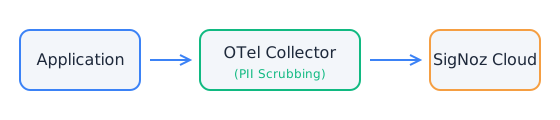
- Instrument your application to send traces to the OTel Collector.
- Configure the OTel Collector to receive traces, apply processors, and export to SigNoz.
- If you are currently sending traces directly to SigNoz, update your configuration to send them to the OTel Collector instead.
Process of scrubbing PII data
OpenTelemetry Collector provides a powerful transform processor to filter or modify sensitive data before it's sent to SigNoz. We'll use this processor to scrub PII data from our traces.
Sample trace
Let's use the following sample trace data to demonstrate PII data scrubbing process:
{
    ...
    "Attributes": [
        ...
        {
            "Key": "client.address",
            "Value": {
                "Type": "STRING",
                "Value": "127.0.0.1"
            }
        },
        {
            "Key": "http.response.status_code",
            "Value": {
                "Type": "INT64",
                "Value": 200
            }
        },
        ...
    ]
    ...
}
This trace contains an attribute that we want to scrub: IP address of client.
Configuring the transform processor
To scrub PII data, we're going to use a transform processor in the OpenTelemetry Collector configuration. Transform processor works by using regular expressions for scrubbing the data, you can find more about regular expressions here. Here's an example of how we can use the transform processor:
processors:
  ...
  transform:
    error_mode: ignore
    trace_statements:
      - replace_pattern(span.attributes["client.address"], "((25[0-5]|2[0-4][0-9]|[01]?[0-9][0-9]?)(\\.|$)){4}", "*.*.*.*")
Let's understand what the above statement does: replace_pattern function replaces the client IP address with asterisks in a trace with span attribute client.address.
Applying the processor
To apply this processor, add it to the processors pipeline:
service:
  ...
  pipelines:
    traces:
      receivers: [otlp]
      processors: [batch,transform]
      exporters: [otlp]
    ...
Result
After applying the transform processor and restarting OpenTelemetry Collector, the sample trace would be transformed to:
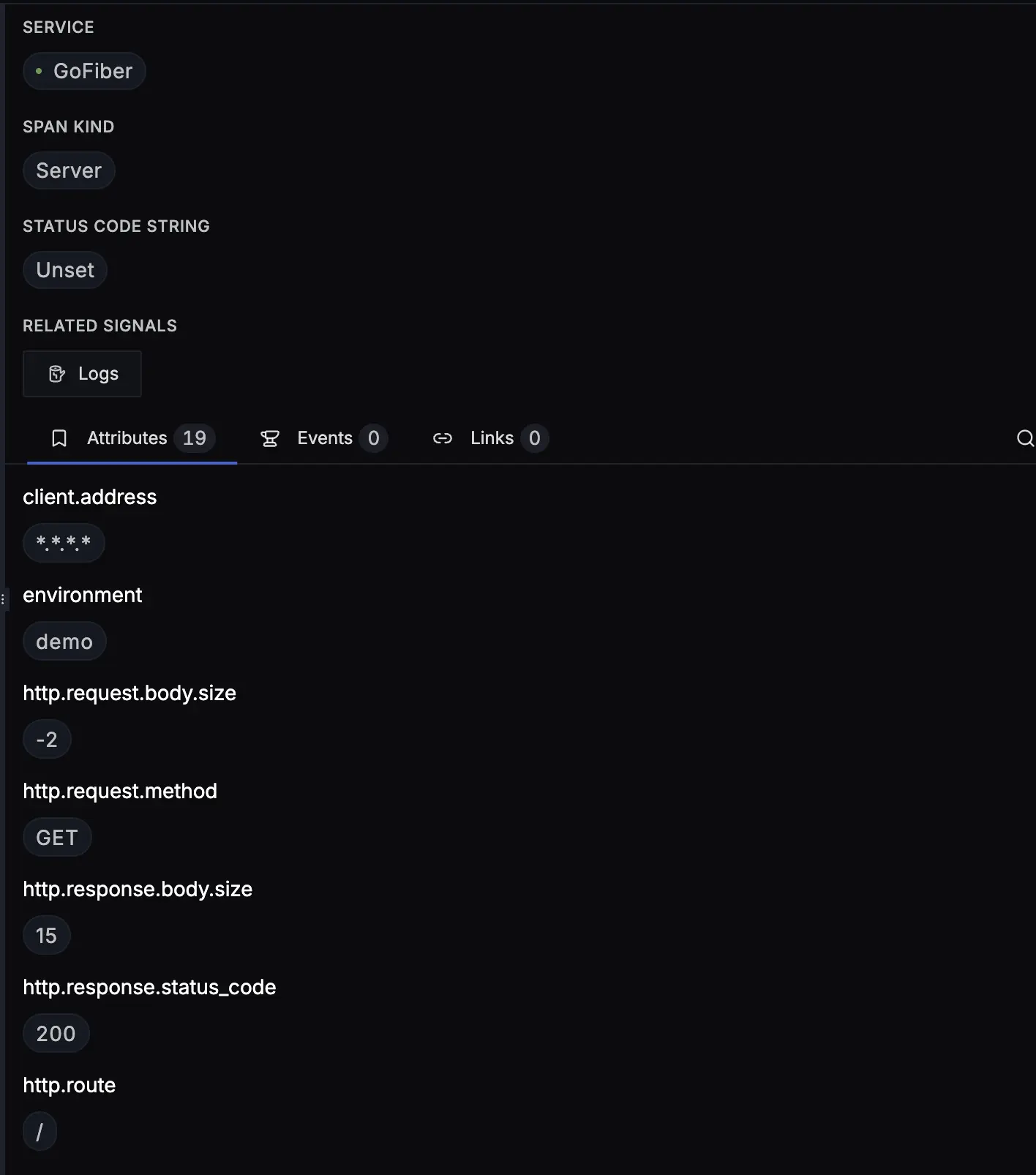
As you can see, the IP address is no longer visible as it has been scrubbed out by the OpenTelemetry Collector before the data was sent to SigNoz.
For a full reference on OTTL syntax, contexts, and functions, see OTTL Reference. Learn more about the transform processor in the upstream README.
Get Help
If you need help with the steps in this topic, please reach out to us on SigNoz Community Slack. If you are a SigNoz Cloud user, please use in product chat support located at the bottom right corner of your SigNoz instance or contact us at cloud-support@signoz.io.


